

Lub koob yees duab sablaj yog ib hom koob yees duab tshwj xeeb uas tsim los siv rau hauv cov rooj sib tham loj lossis pab pawg sib tham video. Nws feem ntau muab tso rau hauv nruab nrab ntawm lub rooj sib tham thiab tuaj yeem ntes cov yeeb yaj kiab zoo thiab suab ntawm txhua tus neeg koom hauv lub rooj sib tham. Lub koob yees duab sablaj feem ntau muaj cov yam ntxwv xws li zoom, yias, qaij, thiab autofocus kom ntseeg tau tias txhua tus neeg tuaj koom raug ntes kom meej. Lawv nquag siv nyob rau hauv kev lag luam chaw, qhov chaw nyob deb nroog yuav tsum muaj kev sib koom tes zoo.
Vim Li Cas Xaiv Peb
Kev Tswj Xyuas Zoo
Shenzhen Tongveo Innovation Technology Co., Ltd muaj ib pab neeg soj ntsuam zoo uas nruj me ntsis tswj qhov zoo ntawm lawv cov khoom. Lub tuam txhab kuj tau txais ntau yam ntawv pov thawj xws li CE, RoHS, thiab FCC.
Kev tsim kho tshiab
Lub tuam txhab tau cog lus rau kev tsim kho tshiab, nrog rau pab pawg neeg ua haujlwm siab thiab tsim qauv uas ua haujlwm los tsim cov khoom tshiab thiab qib siab uas ua tau raws li cov kev xav tau ntawm cov neeg siv khoom.
Kev paub nplua nuj
Lub tuam txhab muaj ntau tshaj 10 xyoo ntawm kev paub nyob rau hauv lub teb ntawm cov khoom siv hluav taws xob thiab tshwj xeeb hauv kev tshawb fawb, kev tsim kho, thiab kev tsim cov khoom siv hluav taws xob ntse.
Technology zoo
Shenzhen Tongveo Innovation Technology Co., Ltd tau nqis peev ntau hauv kev tshawb fawb thiab kev tsim kho, kom ntseeg tau tias lawv cov khoom suav nrog cov cuab yeej tshiab thiab qib siab tshaj plaws.
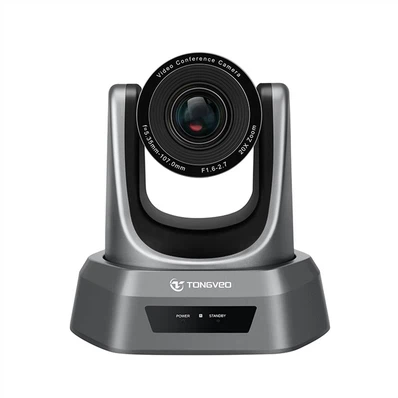


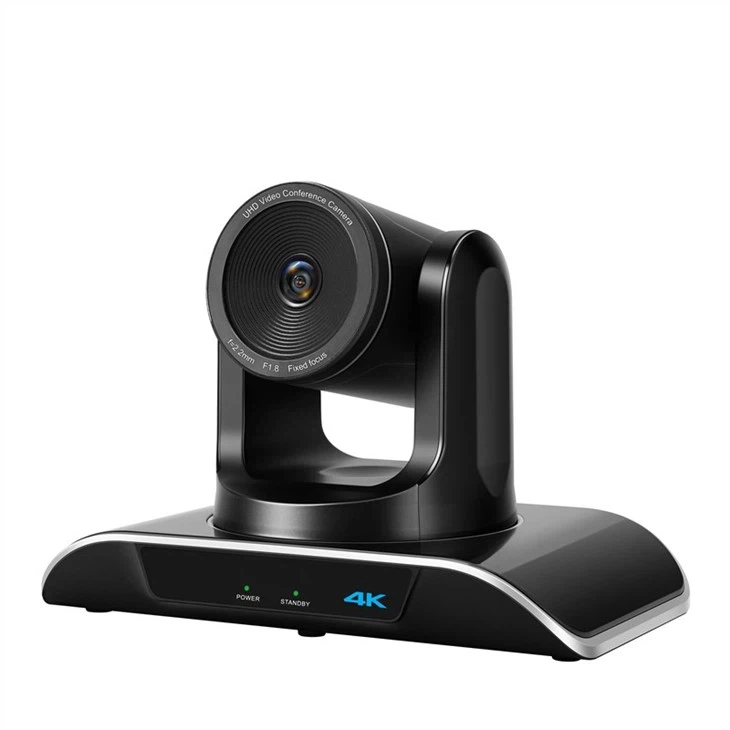


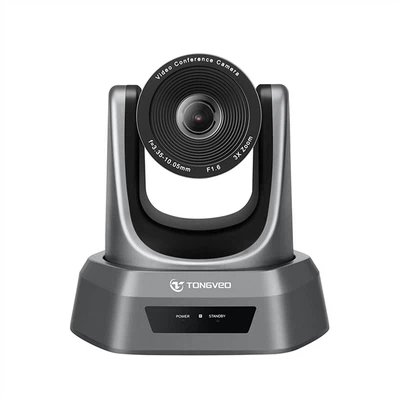
Qhov zoo ntawm Conference Camera
1. Cov yeeb yaj kiab zoo:Lub koob yees duab sablaj muab cov yeeb yaj kiab zoo uas tso cai rau cov neeg koom nrog pom ib leeg kom pom tseeb, ua kom yooj yim rau kev sib txuas lus thiab sib koom tes.
2. Kev pom dav dav:Feem ntau lub rooj sib tham lub koob yees duab muaj qhov pom dav dav uas ntes tag nrho chav tsev thiab txhua tus neeg tuaj koom, ua kom yooj yim rau kev sib tham hauv pab pawg.
3. Kev teeb tsa yooj yim:Lub koob yees duab sablaj tau yooj yim rau kev teeb tsa thiab siv, thiab ntau tus tuaj nrog software uas ua rau nws yooj yim rau kev txuas mus rau video conferencing platforms.
4. Chaw taws teeb tswj:Feem ntau lub rooj sib tham lub koob yees duab tuaj nrog cov chaw taws teeb tswj, yog li cov neeg tuaj koom tuaj yeem yias, qaij thiab zoom lub koob yees duab kom pom tseeb dua.
5. Nqi-zoo:Lub koob yees duab sablaj yog ib qho kev daws teeb meem zoo rau cov lag luam tab tom nrhiav kom muaj peev xwm sib tham txog tej thaj chaw deb.
6. Ntau yam:Lub koob yees duab sablaj tuaj yeem siv rau ntau qhov chaw, los ntawm cov chav sib tham me me mus rau cov rooj sib tham loj thiab txawm tias chav kawm.
7. Sib tham sib nta:Qee lub koob yees duab hauv lub rooj sib tham tuaj nrog cov yam ntxwv sib tham sib, xws li kev sib koom ua ke whiteboard, kev sib tham hauv kev tshuaj ntsuam, thiab cov cuab yeej virtual sib koom ua ke, ua kom yooj yim rau kev sib koom tes nyob deb.
8. Sau thiab playback:Ntau lub koob yees duab lub rooj sib tham muaj peev xwm sau thiab rov ua yeeb yaj kiab, ua kom yooj yim rau kev ntes cov kev sib tham tseem ceeb thiab tshuaj xyuas lawv tom qab.

Lub koob yees duab sablaj ua lub luag haujlwm tseem ceeb hauv kev txhawb kev sib txuas lus thaum lub rooj sib tham video. Cov koob yees duab no yog tsim los ntes cov yeeb yaj kiab thiab suab zoo, muab kev sib txuas lus meej thiab seamless thoob plaws tej thaj chaw deb.
Lub luag haujlwm tseem ceeb ntawm lub koob yees duab kev sib tham yog ua kom cov neeg tuaj koom pom thiab hnov ib leeg kom meej, tsis hais thaj chaw nyob deb li cas. Cov koob yees duab muab kev pom dav dav ntawm chav sib tham, tso cai rau cov neeg tuaj koom tuaj yeem ntes cov kev sib tham, lub cev lus, thiab lub ntsej muag. Nrog cov koob yees duab siab heev, nws tseem tuaj yeem ua kom zoom hauv thiab tawm, qaij, thiab yias, nyob ntawm qhov xav tau.
Ntxiv mus, lub koob yees duab sablaj tau nruab nrog lub suab nrov tshem tawm lub microphones uas txo cov suab nrov tom qab thiab ncha, ua rau kev sib txuas lus suab thiab video ntau dua thiab meej. Yog li, cov neeg tuaj koom tau yooj yim sib txuas lus, hnov, thiab nkag siab ib leeg yam tsis muaj kev cuam tshuam.
Hauv cov ntsiab lus, lub luag haujlwm ntawm lub koob yees duab lub rooj sib tham hauv kev sib tham hauv video yog muab kev sib txuas lus zoo, zoo, thiab kev sib txuas lus zoo ntawm cov neeg tuaj koom, ua rau nws zoo li txhua tog neeg nyob hauv tib chav sib tham. Lawv pab txhim kho cov khoom tsim tau, txo cov nqi mus ncig, thiab tso cai rau cov chaw nyob deb nroog ua haujlwm ua ke hauv lub sijhawm tiag tiag, tsis hais lawv qhov chaw nyob qhov twg.
Conference Camera Scope of Application
Lub koob yees duab lub rooj sib tham yog lub koob yees duab tsim tshwj xeeb uas khaws cov suab thiab yees duab zoo los pab txhawb kev sib tham video, webinars, teleconferencing, rooj sib tham hauv online, kev kawm deb, thiab lwm yam kev sib koom tes. Lub Scope ntawm daim ntawv thov ntawm lub rooj sib tham koob yees duab yog loj nyob rau hauv ntau yam sectors xws li:
Kev Lag Luam:Cov lag luam siv lub koob yees duab kev sib tham los ua cov rooj sib tham virtual, kev nthuav qhia, thiab kev sib tham video nrog cov neeg ua haujlwm nyob deb, cov neeg siv khoom, thiab cov neeg koom tes. Lawv kuj siv nws rau webinars, kev cob qhia online, thiab kev nthuav qhia kev lag luam.
Kev kawm:Cov tsev kawm ntawv siv lub koob yees duab sib tham los pab txhawb kev kawm deb thiab txuas cov tub ntxhais kawm los ntawm cov chaw nyob deb mus rau kev qhuab qhia, kev sib tham, thiab kev cob qhia.
Kev kho mob:Cov kws kho mob siv lub koob yees duab kev sib tham los ua kev sib tham nyob deb, teem caij telemedicine, kev cob qhia kho mob, thiab cov rooj sib tham.
Tsoom fwv:Tsoom fwv cov koom haum siv lub koob yees duab kev sib tham rau cov rooj sib tham virtual, kev cob qhia online, kev sib koom tes nyob deb, thiab kev sib txuas lus nrog cov pej xeem los ntawm cov chaw nyob deb.
Media thiab Entertainment:Cov tuam txhab xov xwm thiab kev lom zem siv lub koob yees duab sib tham rau kev tshaj tawm xov xwm, tshaj tawm hauv xov xwm, kev xam phaj, thiab cov xwm txheej virtual.
Kev tos txais qhua:Cov tsev so thiab chaw so siv lub koob yees duab sib tham los pab txhawb kev sib tham virtual thiab cov xwm txheej rau lawv cov neeg siv khoom.
Hauv cov ntsiab lus, lub koob yees duab kev sib tham muaj ntau daim ntawv thov hauv ntau yam, xws li kev lag luam thiab kev kawm mus rau kev kho mob, tsoomfwv, thiab kev tos txais qhua, thiab lwm yam.
To taub qhov tseem ceeb ntawm lub koob yees duab sablaj
Lub koob yees duab lub rooj sib tham yog ib qho tseem ceeb ntawm cov cuab yeej siv rau txhua lub lag luam uas niaj hnub ua cov rooj sib tham thiab rooj sib tham nyob deb. Qhov tseem ceeb nyob hauv nws lub peev xwm los muab cov yeeb yaj kiab thiab suab sib kis tau zoo, uas pab cov kws tshaj lij hauv kev nkag siab zoo dua thiab sib txuas lus nrog lawv cov npoj yaig lossis cov neeg siv khoom.
Nov yog qee qhov laj thawj vim li cas lub koob yees duab sablaj yog qhov tseem ceeb:
kev lag luam-ua
Lub koob yees duab sablaj tau txhim kho kev sib txuas lus zoo rau cov neeg koom nrog nyob deb, ua rau lawv xav tias lawv nyob hauv tib lub cev ib yam li lwm tus neeg tuaj koom.
01
Boosts Productivity
Cov rooj sib tham virtual siv lub koob yees duab kev sib tham tuaj yeem txuag sijhawm thiab nyiaj txiag los ntawm kev tshem tawm qhov xav tau kev mus ncig. Txoj kev no, cov kws tshaj lij tuaj yeem tsom mus rau kev ua haujlwm zoo dua li kev mus ncig.
02
Txhawb Kev Sib Koom Tes
Lub koob yees duab sablaj tso cai rau kev sib koom tes ntawm lub sijhawm tiag tiag ntawm cov neeg koom tes ua haujlwm los ntawm ntau qhov chaw. Qhov no txhawb pab pawg ua haujlwm, yog li ua kom lub tuam txhab cov hom phiaj.
03
Koom nrog cov neeg koom
Lub koob yees duab sablaj tsim kom muaj kev sib tham ntau dua thiab koom nrog lub rooj sib tham virtual, ua rau muaj kev koom tes zoo dua thiab kev koom tes los ntawm txhua tus neeg tuaj koom.
04
Ua kom muaj kev tshaj lij
Kev siv lub koob yees duab sablaj zoo tshaj plaws ua kom muaj kev tshaj lij nyob rau hauv lub rooj sib tham, muab txhua tus neeg tuaj koom nrog cov yeeb yaj kiab thiab lub suab pom meej thiab meej meej.
05
Yuav ua li cas xaiv lub koob yees duab sablaj
Nov yog qee yam yuav tsum xav txog thaum xaiv lub koob yees duab sablaj:
Zoo ntawm Video thiab Suab:Lub koob yees duab yuav tsum muaj peev xwm muab cov yeeb yaj kiab thiab suab zoo. Nrhiav cov koob yees duab nrog 1080p lossis 4K daws teeb meem thiab lub peev xwm zoo.
Compatibility:Xyuas kom lub koob yees duab tuaj yeem ua haujlwm nrog software lossis daim ntawv thov uas koj siv rau kev sib tham video, xws li Zoom, Skype, lossis Microsoft Teams. Xyuas kom meej tias lub koob yees duab yog sib xws nrog koj lub computer lossis ntaus ntawv.
Zoom thiab Pan muaj peev xwm:Lub koob yees duab lub rooj sib tham zoo yuav tsum tso cai rau koj kom zoom hauv thiab tawm kom yooj yim rau kev tsom mus rau cov ntsiab lus. Xyuas kom lub koob yees duab muaj lub lauj kaub du thiab qaij kom koj tuaj yeem kho tau yooj yim thaum lub rooj sib tham.
Field of View:Lub koob yees duab yuav tsum muaj lub kaum sab xis dav kom ntes txhua tus hauv chav. Feem ntau, ib qho 120-degree teb ntawm kev pom yog qhov txaus.
Kev sib txuas:Lub koob yees duab kev sib tham zoo yuav tsum yooj yim txuas thiab teeb tsa. Xyuas kom meej tias lub koob yees duab tuaj yeem txuas rau koj lub cuab yeej nrog USB cable, Bluetooth, lossis Wi-Fi.
Nyiaj txiag:Lub koob yees duab sablaj tuaj nyob rau hauv cov nqi sib txawv. Nws yog ib qho tseem ceeb kom muaj nyiaj txiag hauv siab thiab nrhiav lub koob yees duab zoo tshaj plaws uas haum rau koj cov peev nyiaj. Feem ntau, cov koob yees duab siab dua yuav muaj cov yam ntxwv ntau dua, cov duab zoo dua, thiab kev ua haujlwm suab.
Kev tu kom zoo ntawm lub koob yees duab sablaj
Khaws lub koob yees duab sablaj kom huv si:Siv cov ntaub mos mos, qhuav los ntxuav lub koob yees duab lens thiab lub cev tsis tu ncua, thiab tsis txhob siv cov tshuaj hnyav.
Tiv thaiv lub koob yees duab los ntawm plua plav:Npog lub koob yees duab thaum nws tsis siv los tiv thaiv nws ntawm plua plav thiab khib nyiab.
Khaws lub koob yees duab kom zoo:Khaws lub koob yees duab rau hauv qhov chaw qhuav, txias qhov chaw uas nws yuav tsis raug puas los ntawm ya raws lossis kub kub.
Txheeb xyuas firmware hloov tshiab:Tshawb xyuas firmware hloov tshiab rau lub koob yees duab tsis tu ncua kom nws mus txog hnub thiab ua haujlwm zoo.
Ntsuam xyuas lub koob yees duab tsis tu ncua:Ntsuam xyuas lub koob yees duab tsis tu ncua kom paub meej tias nws ua haujlwm zoo. Khiav ib qho kev xeem hu nrog ib tus npoj yaig lossis siv qhov kev pabcuam dawb online uas tso cai rau koj kuaj lub koob yees duab.
Los ntawm kev ua raws li cov lus qhia no, ib tus tuaj yeem ua kom ntseeg tau tias lawv lub koob yees duab sablaj tseem nyob hauv qhov zoo thiab ua haujlwm tau zoo thaum lub rooj sib tham tseem ceeb thiab cov rooj sib tham.
Hom Lub Koob Yees Duab Sib Tham
PTZ sawv cev rau lub lauj kaub, qaij, thiab zoom. Cov koob yees duab no tsuas yog siv hauv chav sib tham loj, uas lawv tuaj yeem tswj tau los ntawm kev siv lub xov tooj smartphone lossis lub computer. Lawv muab cov yeeb yaj kiab zoo thiab lub suab zoo thiab tuaj nrog cov yam ntxwv siab heev xws li nws pib taug qab thiab cov duab stabilization.
USB koob yees duab yog qhov zoo tagnrho rau chav sib tham me me lossis chaw ua haujlwm hauv tsev. Cov koob yees duab no txuas rau lub khoos phis tawj ntawm USB cable thiab muab cov kev daws teeb meem zoo tshaj plaws video thiab suab. Lawv yog cov pheej yig, yooj yim rau siv, thiab tsis tas yuav kho vajtse ntxiv.
Cov koob yees duab no muab lub kaum sab xis ultra-wide pom ntawm tag nrho chav. Lawv zoo meej rau chav sib tham loj uas muaj ntau tus neeg tuaj koom. Lawv tuaj nrog cov yam ntxwv siab heev xws li tsis siv neeg framing thiab ntse zooming, ua kom txhua tus hauv chav sib tham pom.
Cov koob yees duab no yog cov khoom siv hauv kev sib tham hauv video. Lawv muab cov kev daws teeb meem zoo tshaj plaws video thiab suab thiab yog qhov zoo rau cov chav sib tham loj lossis cov rooj sib tham. Lawv yooj yim rau siv thiab muaj cov yam ntxwv siab heev xws li kev ua haujlwm tsis siv neeg thiab kev tswj hwm kev xav.
Webcams yog ib txoj hauv kev pheej yig thiab yooj yim ntxiv rau kev sib tham video rau koj lub computer. Lawv muab qhov nruab nrab video thiab suab zoo thiab zoo tagnrho rau kev sib tham solo lossis cov rooj sib tham me me nrog ob peb tus neeg koom. Lawv yuav tsum tsis muaj hardware ntxiv thiab yooj yim rau siv.
Device Compatibility rau Conference Camera
Lub compatibility ntawm lub rooj sib tham lub koob yees duab nyob ntawm lub tshwj xeeb ntaus ntawv thiab nws compatibility yuav tsum tau. Feem ntau, feem ntau lub rooj sib tham lub koob yees duab tau sib xws nrog feem ntau cov haujlwm loj xws li Windows, Mac, Linux, thiab Chrome OS. Tsis tas li ntawd, lawv tuaj yeem siv tau nrog cov kev sib tham video nrov xws li Zoom, Skype, Microsoft Teams, Google Meet, thiab Cisco Webex. Nws yog ib qho tseem ceeb los xyuas cov chaw tsim khoom cov lus qhia tshwj xeeb thiab cov kev xav tau sib xws ua ntej yuav yuav lub koob yees duab sib tham.

Yuav Ua Li Cas Khaws Lub Koob Yees Duab Sib Tham


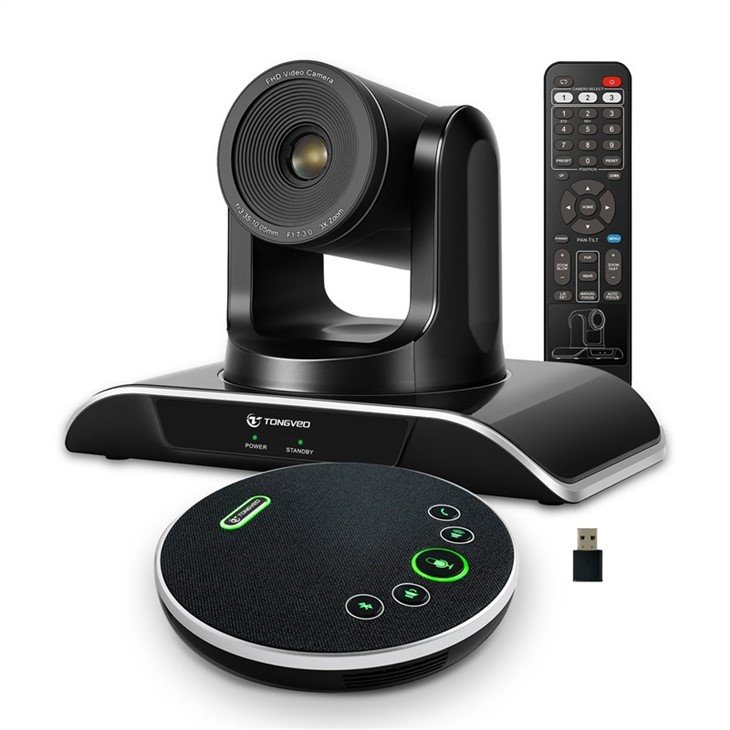
1. Tshem tawm cov cables lossis kev sib txuas ntawm lub koob yees duab:Ua ntej khaws koj lub koob yees duab lub rooj sib tham, nco ntsoov tshem tawm tag nrho cov cables thiab kev sib txuas. Qhov no yuav tiv thaiv kev puas tsuaj uas tuaj yeem tshwm sim thaum txav mus rau qhov chaw cia.
2. Ntxuav lub ntsej muag ntawm lub koob yees duab:Siv cov ntaub mos mos, qhuav kom maj mam ntxuav lub koob yees duab. Tsis txhob siv dej los yog tshuaj ntxuav tes. Qhov no yuav pab tiv thaiv khawb thiab lwm yam kev puas tsuaj, uas tuaj yeem cuam tshuam qhov zoo ntawm lub koob yees duab cov zis video.
3. Nrhiav qhov chaw nyab xeeb thiab qhuav:Khaws koj lub koob yees duab kev sib tham hauv qhov chaw nyab xeeb thiab qhuav, xws li lub khob, tub rau khoom lossis lub thawv. Nws tseem yuav tsum tau nyob rau hauv qhov chaw uas nws tsis tau txais kev tshav ntuj ncaj qha lossis qhov kub thiab txias.
4. Siv cov npog kom zoo:Tom qab ntxuav thiab nrhiav qhov chaw nyab xeeb, npog lub koob yees duab nrog cov plua plav npog los tiv thaiv cov plua plav thiab cov khib nyiab.
5. Khaws rau hauv qhov chaw txias thiab qhuav:Tsis txhob khaws lub koob yees duab sablaj rau hauv qhov chaw uas muaj cua sov lossis av noo. Cov av noo tuaj yeem ua rau xeb lossis pwm tuaj yeem ua rau ntawm lub koob yees duab nto, thaum tshav kub kub tuaj yeem ua rau cov circuits hauv lub koob yees duab puas.
6. Khaws lub koob yees duab kom deb ntawm lwm yam khoom:Tsis txhob khaws lub koob yees duab ze rau lwm yam khoom uas yuav poob, tsoo lossis khawb nws. Khaws cia rau hauv qhov chaw uas nws tsis tshua muaj kev cuam tshuam los ntawm lwm yam khoom.
7. Txheeb xyuas nws tsis tu ncua: Tshawb xyuas lub koob yees duab ib ntus kom paub tseeb tias nws nyob hauv qhov zoo tshaj plaws thiab tsis muaj kev puas tsuaj lossis hnav.
Kev txiav txim siab rau kev yuav lub koob yees duab sablaj
Thaj chaw saib
Nyob ntawm seb qhov loj ntawm koj chav sib tham thiab cov neeg tuaj koom lub rooj sib tham, koj yuav xav xaiv lub koob yees duab uas tsim nyog rau kev pom. Qee lub koob yees duab muab lub kaum sab xis 90-degree, thaum lwm tus muab siab txog 180-degrees.
Kev daws teeb meem
Qhov kev daws teeb meem ntawm koj lub koob yees duab yog qhov tseem ceeb vim nws yuav txiav txim siab qhov zoo ntawm cov zis video. Ib qho kev daws teeb meem siab dua yuav xa cov duab meej dua thiab zoo dua, tshwj xeeb tshaj yog tias koj siv cov duab loj rau koj qhov kev sib tham hauv xov tooj.
Kev sib txuas
Nco ntsoov tias lub koob yees duab koj xaiv tau sib xws nrog koj lub rooj sib tham software thiab tuaj yeem txuas tau yooj yim rau koj lub computer lossis lwm yam khoom siv. Xav txog seb qhov kev sib txuas hauv xov tooj lossis wireless zoo tshaj plaws haum rau koj lub koom haum cov kev xav tau.
PTZ (Pan-Tilt-Zoom) muaj peev xwm
Yog tias koj npaj yuav siv koj lub koob yees duab sablaj rau kev nthuav qhia, tej zaum koj yuav xav xaiv lub koob yees duab nrog lub peev xwm PTZ. Qhov tshwj xeeb no tso cai rau koj los tswj lub koob yees duab kev txav mus deb, yog li koj tuaj yeem zoom rau ntawm qhov tshwj xeeb ntawm koj qhov kev nthuav qhia.
Suab zoo
Lub koob yees duab sablaj zoo yuav tsum muaj lub microphone built-in lossis txhawb nqa lub microphones sab nraud kom paub meej lub suab.
Nqe
Lub koob yees duab sablaj tuaj yeem sib txawv ntawm tus nqi, nrog qee tus qauv raug nqi ntau pua lossis ntau txhiab daus las. Xav txog koj cov peev nyiaj thiab cov yam ntxwv tseem ceeb tshaj plaws rau koj ua ntej txiav txim siab zaum kawg.
Yuav ua li cas ntxuav lub koob yees duab sablaj
Tua lub koob yees duab
Ua ntej koj pib ntxuav, xyuas kom meej tias lub koob yees duab yog muab tua, unplugged, thiab hais tias nws tau txias tag nrho.
Tshem tawm cov plua plav
Siv cov ntaub mos mos, tsis muaj lint-dawb los yog txhuam kom tshem tawm cov plua plav lossis cov khib nyiab ntawm lub koob yees duab. Ua siab mos thiab tsis txhob siv lub zog ntau dhau kom tsis txhob khawb lub lens.
Ntxuav lub lens
Siv cov tshuaj ntxuav lub lens thiab microfiber lossis daim ntaub ntxuav lub lens los ntxuav lub koob yees duab lens. Tsis txhob siv dej los yog lwm yam tshuaj tua kab mob hnyav.
So lub cev
Siv cov ntaub ntub dej los yog cov tshuaj ntxuav me me, so lub cev ntawm lub koob yees duab kom tshem tawm cov grime lossis cov ntiv tes. Nco ntsoov siv ib daim ntaub uas tsis yog-abrasive thiab tsis txhob txhuam tawv heev.
Ntxuav cov kev sib txuas
Siv txhuam txhuam kom tshem tawm cov plua plav lossis cov khib nyiab los ntawm kev sib txuas thiab cov chaw nres nkoj. Xyuas kom lawv qhuav tag ua ntej ntsaws rau hauv lub koob yees duab dua.
Khaws lub koob yees duab
Thaum koj ua tiav kev tu, muab lub koob yees duab tso rau hauv qhov chaw huv, qhuav thiab tiv thaiv nrog lub hau lossis rooj plaub. Tsis txhob tso lub koob yees duab kom ncaj qha tshav ntuj los yog kub heev.
Dab tsi yog Qhov Tseem Ceeb ntawm Lub Koob Yees Duab Sib Tham
Lub koob yees duab Lens -Lub koob yees duab lens yog qhov tseem ceeb tshaj plaws ntawm lub koob yees duab sablaj vim nws ntes cov duab zoo thiab cov yeeb yaj kiab.
Sensor -Lub sensor hloov cov teeb liab optical rau hauv cov teeb liab digital thiab xa mus rau CPU rau kev ua haujlwm.
CPU -CPU ua cov teeb liab digital thiab hloov nws mus rau hauv cov ntaub ntawv siv tau. Nws kuj tswj tag nrho cov haujlwm ntawm lub koob yees duab.
Microphone -Lub koob yees duab lub rooj sib tham kuj tuaj nrog lub microphone built-in uas ntes cov suab thiab xa nws los ntawm lub suab channel.
Zoom -Qee lub koob yees duab lub rooj sib tham tuaj nrog kev ua haujlwm zoom uas ua rau cov neeg siv zoom hauv thiab tawm thaum ntes cov duab lossis yeeb yaj kiab.
Audio thiab Video outputs -Cov txiaj ntsig tso cai rau cov neeg siv txuas lub koob yees duab lub rooj sib tham mus rau lwm yam khoom siv xws li khoos phis tawj, tso saib, lossis projectors.
Chaw taws teeb tswj -Feem ntau lub rooj sib tham lub koob yees duab tuaj nrog cov chaw taws teeb tswj uas tso cai rau cov neeg siv los tswj lub koob yees duab kev ua haujlwm, xws li zooming lossis tawm, kho qhov tsom, thiab kho qhov ntim ntawm lub microphone.
Mounting Kit -Cov khoom siv mounting yog siv los txuas lub koob yees duab kev sib tham mus rau ib qho chaw los yog tripod.
Kev sib txuas -Lub koob yees duab lub rooj sib tham tuaj nrog ntau yam kev xaiv sib txuas xws li Wi-Fi, Bluetooth, USB, lossis HDMI uas tso cai rau cov neeg siv kwj thiab sib qhia suab thiab video nrog lwm yam khoom siv.
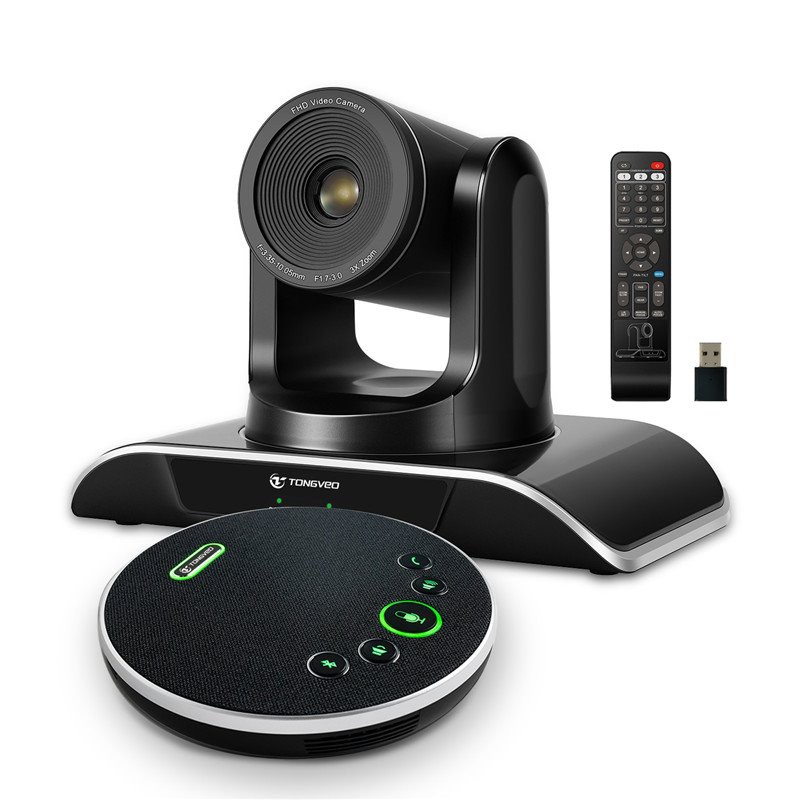
Cov lus qhia txog kev kho rau lub koob yees duab sablaj
Khaws lub lens kom huv si
So lub lens ntawm koj lub koob yees duab sablaj maj mam nrog daim ntaub microfiber kom tshem tawm cov plua plav, ntiv tes lossis cov smudges. Tsis txhob siv cov tshuaj ntxuav hnyav los yog cov khoom siv abrasive los ntxuav lub lens.
Tiv thaiv lub koob yees duab los ntawm plua plav thiab khib nyiab
Siv lub koob yees duab npog thaum lub koob yees duab sablaj tsis siv. Qhov no yuav tiv thaiv lub koob yees duab los ntawm cov plua plav lossis cov khib nyiab uas tuaj yeem ua rau lub lens puas lossis lwm yam khoom siv sab hauv lub sijhawm.
Khaws lub koob yees duab kom deb ntawm tshav ntuj hnyav
Kev tshav ntuj ncaj qha tuaj yeem ua rau muaj kev puas tsuaj rau lub koob yees duab lens thiab lwm yam khoom siv sab hauv. Yog li, ua tib zoo tso lub koob yees duab mus rau qhov chaw ntxoov ntxoo los yog hnub ci tsis ncaj.
Khaws lub koob yees duab kom raug
Thaum tsis siv, nco ntsoov khaws koj lub koob yees duab kev sib tham hauv qhov chaw qhuav thiab txias uas tsis raug rau qhov kub thiab txias.
Siv cov txheej txheem network tsim nyog
Nco ntsoov tias koj lub koob yees duab sablaj txuas nrog lub network ruaj ntseg thiab koj siv cov txheej txheem tsim nyog los xyuas kom meej tias koj lub koob yees duab muaj kev nyab xeeb los ntawm kev hem thawj.
Tsis tu ncua software hloov tshiab
Tsis tu ncua hloov kho koj lub koob yees duab lub rooj sib tham lub software kom ua raws li cov yam ntxwv tshiab thiab kho kab laum. Cov kev hloov tshiab no tuaj yeem pab txhim kho kev ua haujlwm thiab txuas ntxiv lub neej ntawm lub koob yees duab.
Peb lub Hoobkas
Tongveo yog R&D raws li cov chaw tsim khoom cog lus los tsim, tsim thiab tsim cov peev txheej puv HD video lub koob yees duab nrog cov duab zoo nkauj rau kev sib koom ua yeeb yaj kiab, siv hauv kev sib tham video, suab sib tham, kev kawm, xov tooj, tshuaj, tshaj tawm, kaw lus, chav tsev hais plaub, kev nyab xeeb rau pej xeem, lub tsev teev ntuj. , nyob-kev tshwm sim, Kev daws teeb meem nyiaj txiag thiab lwm yam.

Daim ntawv pov thawj

FAQ
Q: Lub koob yees duab sablaj yog dab tsi?
Q: Lub koob yees duab sablaj ua haujlwm li cas?
Q: Dab tsi yog qee qhov nta ntawm lub rooj sib tham lub koob yees duab?
Q: Muaj pes tsawg tus neeg tuaj yeem lub rooj sib tham lub koob yees duab ntes hauv qhov txhaj tshuaj?
Q: Hom koob yees duab sablaj twg muaj?
Q: Lub koob yees duab PTZ lub rooj sib tham yog dab tsi?
Q: Dab tsi yog qhov txiaj ntsig ntawm kev siv lub koob yees duab sablaj?
Q: Dab tsi yog qee yam tseem ceeb uas yuav tsum xav txog thaum xaiv lub koob yees duab sablaj?
Q: Qhov txawv ntawm lub koob yees duab sablaj thiab lub webcam li cas?
Q: Lub koob yees duab kev sib tham puas tuaj yeem siv rau ntau hom chav sib tham?
Q: Lub koob yees duab lub rooj sib tham puas tuaj yeem tswj tau nyob deb?
Q: Ntau lub koob yees duab lub rooj sib tham puas tuaj yeem ua ke ua ke?
Q: Dab tsi yog qhov txawv ntawm lub koob yees duab kev sib tham thiab lub webcam?
Q: Dab tsi yog qhov pom zoo nyob deb ntawm lub koob yees duab sablaj thiab cov neeg koom?
Q: Kuv puas tuaj yeem siv lub koob yees duab sib tham nrog kuv lub laptop lossis lub computer?
Q: Lub koob yees duab kev sib tham puas tuaj yeem siv rau kev tshaj tawm?
Q: Kuv yuav teeb tsa lub koob yees duab sablaj li cas?
Q: Lub koob yees duab kev sib tham raug nqi npaum li cas?
Q: Lub koob yees duab lub rooj sib tham puas tuaj yeem ua haujlwm nrog ntau lub rooj sib tham video?
Q: Dab tsi yog qhov warranty ntawm lub koob yees duab sablaj?
Peb paub zoo tias yog ib qho ntawm cov tuam txhab ua lag luam thiab cov muag khoom hauv Suav teb. Thov koj xav tias dawb mus yuav high-qib lub rooj sib tham lub koob yees duab ua nyob rau hauv Suav teb nov los ntawm peb lub hoobkas. Cov khoom zoo thiab tus nqi qis yog muaj.