




sab saum toj usb lub rooj sib tham chav video rooj sib tham lub koob yees duab
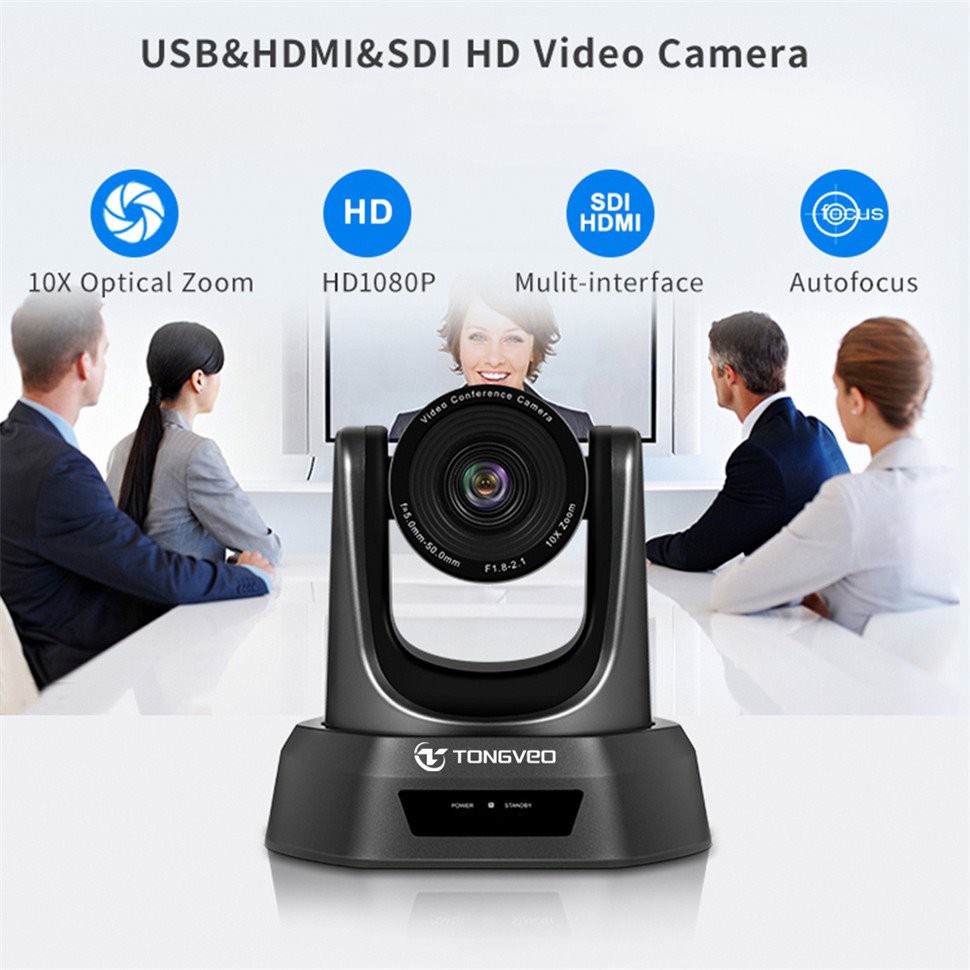
10x optical zoom lub rooj sib tham chav lub koob yees duab rau video conferencing;
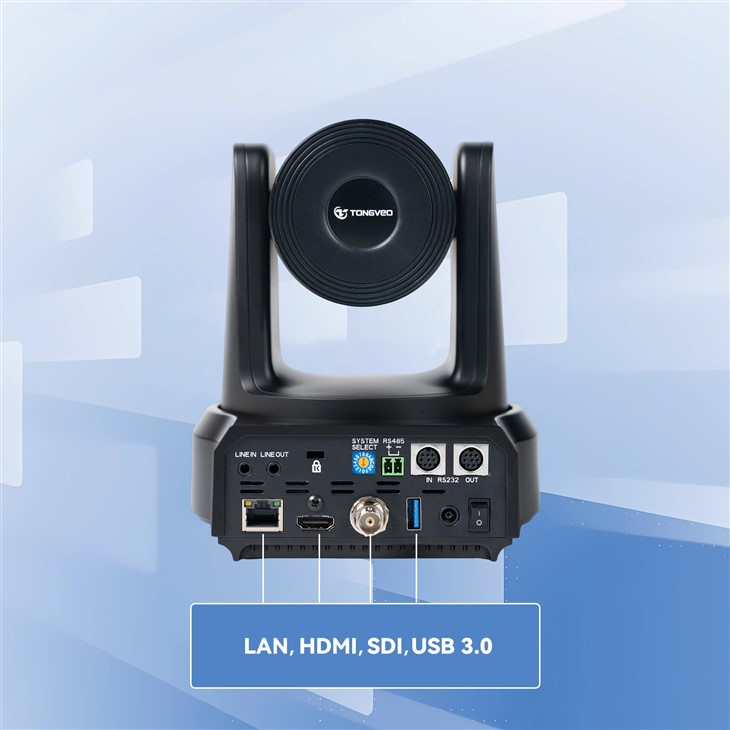
HDMI, SDI, USB, 3 tso zis video;
hd lub koob yees duab;
Nrog 51.8 degree qhov dav ntawm qhov pom;
Wide Angle Lens & Crystal ntshiab duab zoo;
10 Txoj hauj lwm presets los ntawm cov chaw taws teeb tswj;
64 Txoj hauj lwm presets los ntawm cov keyboard tswj;
Hauj lwm lawm
Khoom Taw Qhia:
Raws li kev sib tham hauv video tau nrov dua, ntau thiab ntau lub lag luam tab tom nrhiav kom haum lub rooj sib tham chav koob yees duab los ua kom zoo rau kev sib tham. Sab saum toj USB lub rooj sib tham chav video rooj sib tham lub koob yees duab yog lub koob yees duab lub rooj sib tham muaj zog uas muab cov neeg siv nrog cov yeeb yaj kiab zoo thiab suab. Nws kuj muaj ntau yam haujlwm xws li auto-focus, auto-rotation, face detection, etc., muab cov neeg tuaj koom nrog yooj yim heev. Nws kuj tseem txhawb nqa ntau yam kev sib tham video, xws li Zoom, Skype, Microsoft Teams, thiab lwm yam, tso cai rau cov lag luam tuaj yeem ua video conferencing yam tsis muaj kev txwv. Raws li ib tug kws tshaj lij ntawm USB video conferencing cov kev pabcuam, peb tuaj yeem tsis tsuas yog muab ntau yam khoom, tab sis kuj muab tus nqi zoo tshaj.
Qhov zoo
HD video zoo
Cov koob yees duab kev sib tham sab saum toj muaj 1080P (1920 * 1080) daws teeb meem thiab 2.38 megapixels, tso cai rau cov neeg siv saib tib neeg thiab cov khoom hauv chav sib tham kom meej dua. Lub 10x optical zoom lens, 51.8 degree teb saib, thiab hloov tau yooj yim tig lub kaum sab xis (± 175 degree horizontally, ± 45 degree nce thiab nqis) pab kom pom qhov dav, thiab qhov ua kom pom tseeb tuaj yeem hloov kho kom pom cov ntsiab lus. Tsis tas li ntawd, nws txhawb tus ncej tus nqi ntawm 30fps, ua rau cov yees duab smoother thiab tsis txhob lagging thaum lub rooj sib tham.
Kev tswj tau yooj yim
Cov chaw taws teeb tswj infrared muaj 10 txoj haujlwm ua ntej, thaum lub keyboard controller muaj 64, yog li koj tuaj yeem kho lub koob yees duab lub computer sai sai rau kev sib tham video rau lub kaum sab xis koj xav tau. Tsis muaj xws li sab laug, sab xis, nce thiab nqis, ua kom pom tseeb txoj hauj lwm, thiab lwm yam tuaj yeem hloov tau sai los ntawm tus maub los. Nyob rau tib lub sijhawm, kev ua haujlwm ntse taug qab tuaj yeem tuaj yeem kaw qhov ntsia ntawm tus neeg hais lus, txo qis kev rov ua dua hauv kev sib tham video.
Practicality thiab yooj yim ntawm kev siv
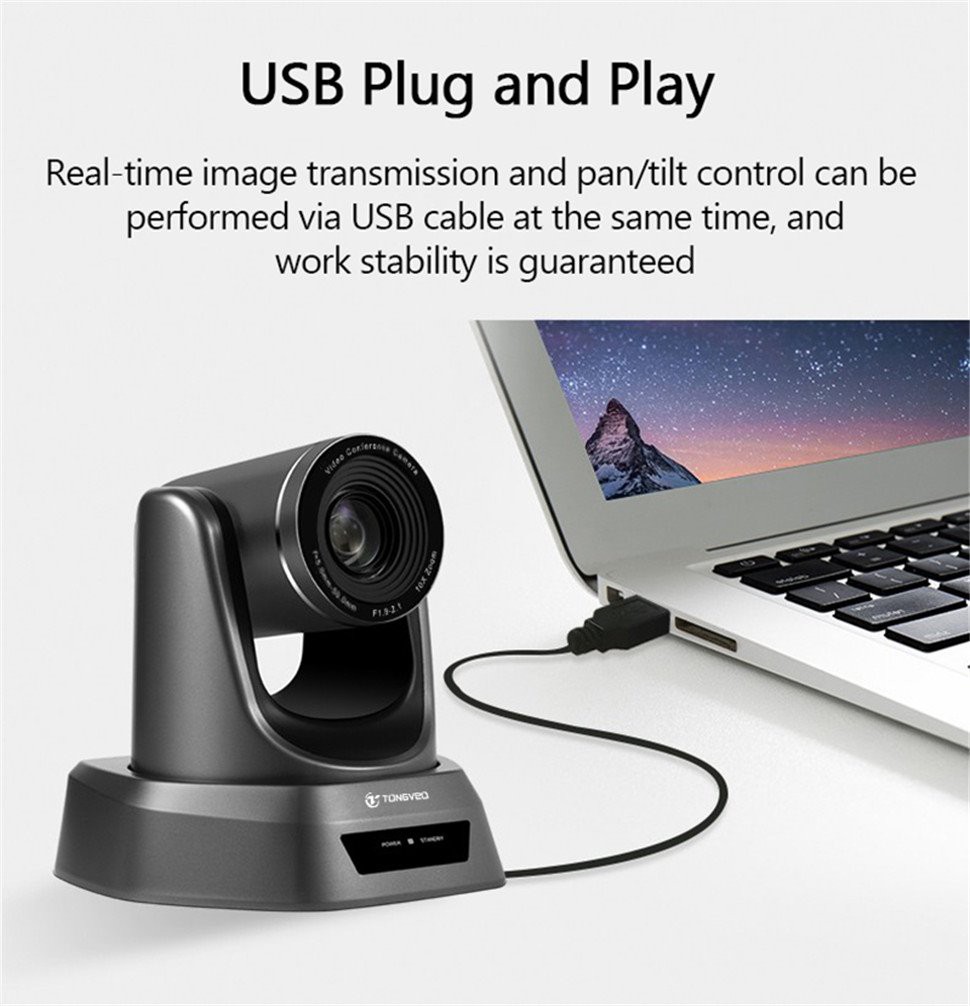
Lub rooj sib tham chav sib tham video lub koob yees duab no tau nruab nrog lub bracket tshwj xeeb uas tuaj yeem ntsia tau rau hauv ntau qhov chaw, suav nrog phab ntsa, qab nthab, thiab lwm yam, kom ua tiav kev tua ntawm ntau lub kaum ntse ntse. Nws qhov hnyav hnyav kuj tsuas yog 1.46 kg, yog li nws yooj yim heev rau nqa. Tsis tas li ntawd, cov cuab yeej tseem tuaj yeem txuas nrog lub khoos phis tawj lossis lwm yam khoom siv los ntawm USB interface kom paub txog tej thaj chaw deb video conferencing ua haujlwm yooj yim thiab sai.
Khoom Parameter
|
Qauv |
UV600 |
|
Sensor |
1/2.9 nti CMOS |
|
Muaj txiaj ntsig pixel |
2.38 mega pixel daws teeb meem |
|
Video system |
1080p-30/25, 720p-30/25 |
|
Zoom |
10 x optical zoom |
|
Lens |
f{0}}0-50.0mm |
|
Aperture |
F1.8~2.1 |
|
Kab rov tav kaum |
68.8 ° (W) ~ 8.8 ° (T) |
|
Lub kaum sab xis |
39.5 degree (W) ~ 5.1 degree (T) |
|
Diagonal |
77.2 degree (W) ~ 10.1 degree (T) |
|
FOV |
51,8 degree |
|
Video tso zis |
USB 2 0 |
|
Video daws teeb meem |
1080P (1920 * 1080), thiab lwm yam. |
|
Teeb liab txheem |
NTSC/PAL |
|
Preset txoj hauj lwm |
64 |
|
Tswj lub davhlau ya nyob twg |
RS -232, RS485 |
|
Shutter |
1/30s -1/10000s, auto |
|
Baud tus nqi |
38400/9600bps |
|
Tswj raws tu qauv |
VISCA, PELCO-D, PELCO-P(RS-232, RS485) |
|
USB raws tu qauv |
UVC 1.1 |
|
Yam tsawg kawg Illumination |
0.1Lux |
|
SNR |
Ntau dua lossis sib npaug li 50dB |
|
Video encoding hom ntawv |
MJPEG, YUV |
|
Kab rov tav tig |
35 0 degree (± 175 degree) 0.1 degree /s -100 degree /s |
|
Vertical rotation |
9 0 degree (± 45 degree) 0.1 degree / s -80 degree s |
|
Fais fab mov |
DC 12V / 2A |
|
Kev siv fais fab |
12W |
|
Ua haujlwm kub |
0 degree ~ +50 degree |
|
Ua haujlwm av noo |
0 ~ 95% RH |
|
Khoom loj |
247 * 165 * 170 hli |
|
Khoom hnyav |
1.46kg / 2.85kg (net / tag nrho qhov hnyav) |
Daim ntawv thov
Lub koob yees duab no tuaj yeem siv rau kev sib tham video, pawg ntseeg nyob streaming, thiab lwm yam.;

Tau tshaj MS Teams, Amazon Chime, GoToMeeting, thiab lwm yam.

Cov lus qhia ntau lawm
10 x Optical Zoom

Smooth thiab Silent Pan Tilt Movement

Tswj raws tu qauv:VISCA, PELCO-D, PELCO-P raws tu qauv;

Preset txoj hauj lwm

Txhawb USB, HDMI SDI thiab RJ45 duab kis tau tus mob ntsaws thiab ua si.
Yooj yim installation

Dab tsi hauv lub thawv?
10x optical lub koob yees duab rau tv rau kev sib tham video * 1
USB cable * 1
Qab nthab mounts thiab screws * 1
Adapter * 1
Chaw taws teeb tswj * 1
cov neeg siv phau ntawv * 1.
Khoom tsim nyog
Peb daim ntawv pov thawj: CE, FCC, RoHS thiab lwm yam
FAQ
Q: Yuav ua li cas txog TONGVEO txoj cai tom qab muag thiab lub sijhawm?
A: Raws li lub luag haujlwm tsim khoom ntawm lub rooj sib tham lub koob yees duab, TONGVEO cog lus rau 2- xyoo lav rau cov khoom ib txwm muaj.
Q: Peb puas tuaj yeem koom tes nrog TONGVEO thiab nug txog tus neeg sawv cev lossis lub koom haum tshwj xeeb?
A: Tau kawg txais tos.
Q: Yuav tiv tauj, sib tham thiab koom tes nrog TONGVEO li cas?
A: Ua siab zoo hu rau TONGVEO pab pawg thoob ntiaj teb los ntawm Email, Xov tooj, thiab lwm txoj kev sib txuas lus zoo.
Cim npe nrov: Tuam Tshoj sab saum toj usb lub rooj sib tham chav video rooj sib tham lub koob yees duab, Tuam Tshoj sab saum toj usb lub rooj sib tham chav video rooj sib tham lub koob yees duab manufacturers, lwm tus neeg, Hoobkas
Xa kev nug
Koj Tseem Yuav Zoo Li
-

HD pc rooj sib tham system ptz koob yees duab
-

hd koob yees duab rau zoom microsoft teams cov rooj ...
-

MAC PC video rooj sib tham lub koob yees duab
-

lauj kaub qaij zoom video koob yees duab rau lub roo...
-

Sab saum toj ptz Conference Web Camera rau Pab Pawg ...
-

pab pawg video conferencing zoom koob yees duab